Client portal
Follow your project in one place
Every client gets a client portal. Here is what it does today.
A project in the client portal
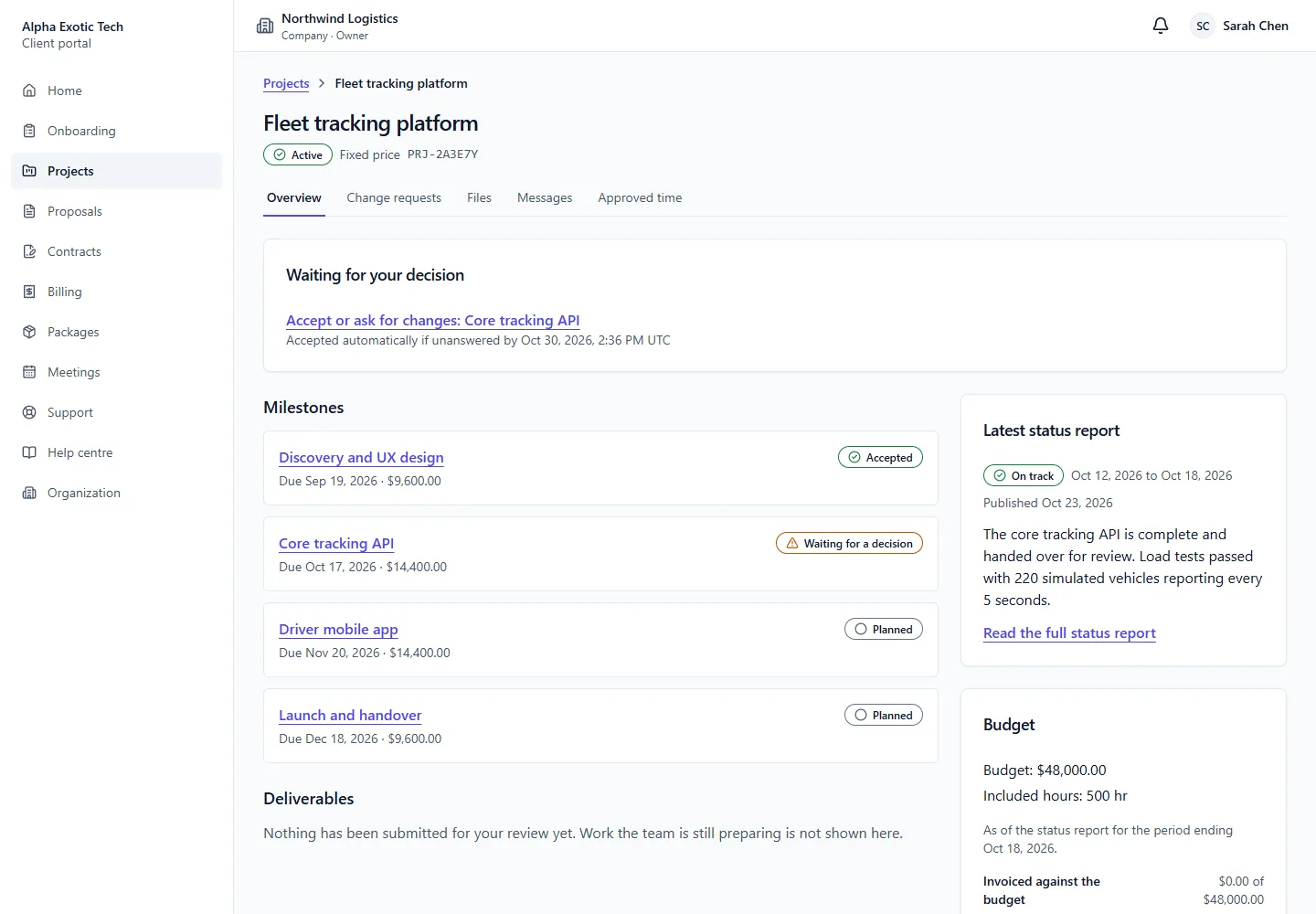
The screenshot shows sample data: the project and the company in it are made up.
What it does
What you can do in the portal
The portal does these things today. Each one is a screen you sign in to.
Projects and milestones
Each project shows its status, its milestones with their due dates and the latest status report.
Approvals
Accept a milestone or ask for changes, approve a deliverable, decide on a change request, and accept a proposal or sign a contract online. Each decision is recorded.
Files
Upload the files your project needs and download what we deliver, in one place.
Messages
Write to the team in a thread for each project and attach files to a message.
Invoices and payments
See your invoices, pay an open one online and download it as a PDF.
Retainer hours
On a retainer, see the hours included, the hours used and the approved time behind them.
Support
Raise a support request, follow its status and reply to it.
Meetings
Book, reschedule or cancel a meeting with us.
For clients
Already working with us?
Sign in to your portal, or open Support there to raise a request about a project, an invoice or an order.
Have something to build? Let’s talk.
Book a discovery call, or send us an enquiry about what you need.